Ask your drawings a question. Get a sourced answer.
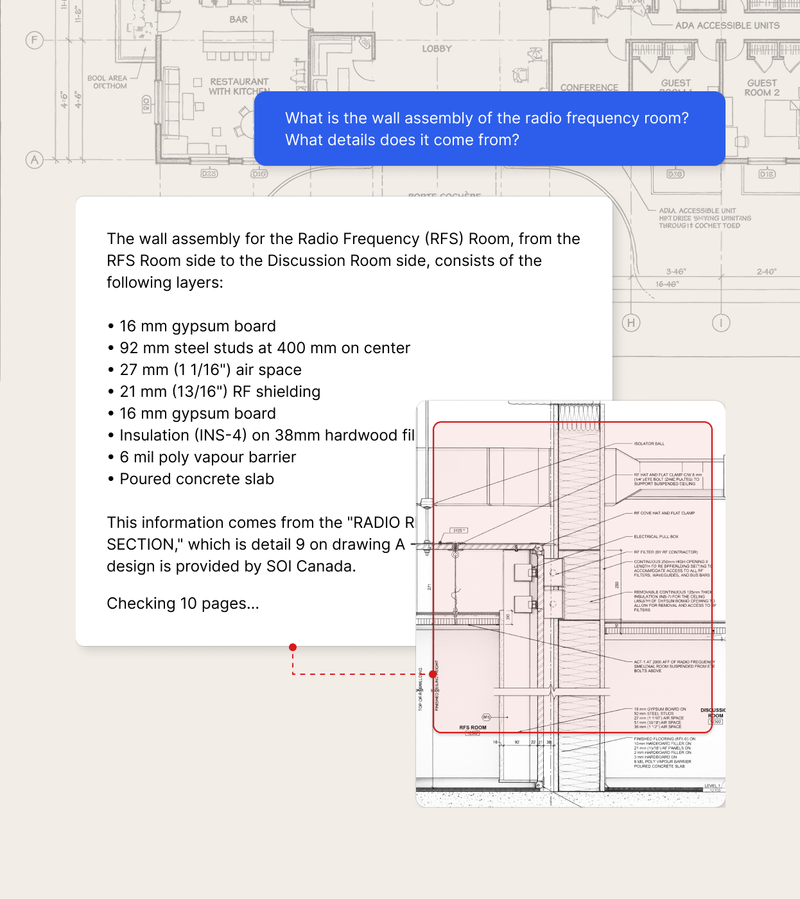
Chat with Drawings is now available in Provision. Estimators can query construction drawings directly inside the Chat Agent, get answers tied to the exact sheet, detail, and location, and navigate from answer to source in one click.
Drawings have never been searchable the way specs are. An estimator confirming air handlers are on a job has to scan mechanical sheets manually, check the legend, and cross-reference abbreviations they may not recognize. A symbol labeled "STZ" for sterilizers slips past a Ctrl+F search entirely. A wall type labeled "P3" requires flipping between the floor plan, the wall schedule, and the spec book, often across multiple monitors or tabs. When a drawing set covers 400 sheets, a missed scope item shows up later as an RFI, a trade conflict, or a gap in the bid.
Ask any scope question in the Chat Agent and Provision searches across every drawing in the project, not just text layers. Ask "are there sterilizers on this job?" and the system finds them, surfaces the relevant drawing, and shows the exact location on the page. Sources are tied to the specific figure with a bounding box you can click to navigate directly.
Find symbols across hundreds of sheets without manual scanning. Type "storm drain inlet" and Provision identifies every instance, links each one to its drawing and detail number, and builds a sourced register. No more highlighter runs through dense civil sheets.
Jump from a drawing callout directly to the spec it references. Ask "What does Wall Type P3 mean?" and Provision returns the assembly details, fire rating, and finish requirements in one response, with a link back to the source drawing.
Chat with Drawings is built for estimators working through construction document sets during bid preparation. If your scope review involves cross-referencing drawings and specs across hundreds of pages, this is the workflow it addresses.
Chat with Drawings is available to all Provision users. The Chat Agent interface surfaces drawing sources automatically. Drawings require a processing step after upload that can take a few hours depending on document size. The interface will indicate when drawings are ready to query.
Request a demo of Provision AI and see how we can help you identify risks earlier and bid with confidence.
Request a demo